From rate con to POD.
Keep the load moving.
Trucking dispatch software that connects load creation, driver assignments, stop updates, and delivery paperwork — for carriers and dispatching companies.
Part of Plantain’s connected trucking operations platform.
Start with the rate con.
Skip the retyping.
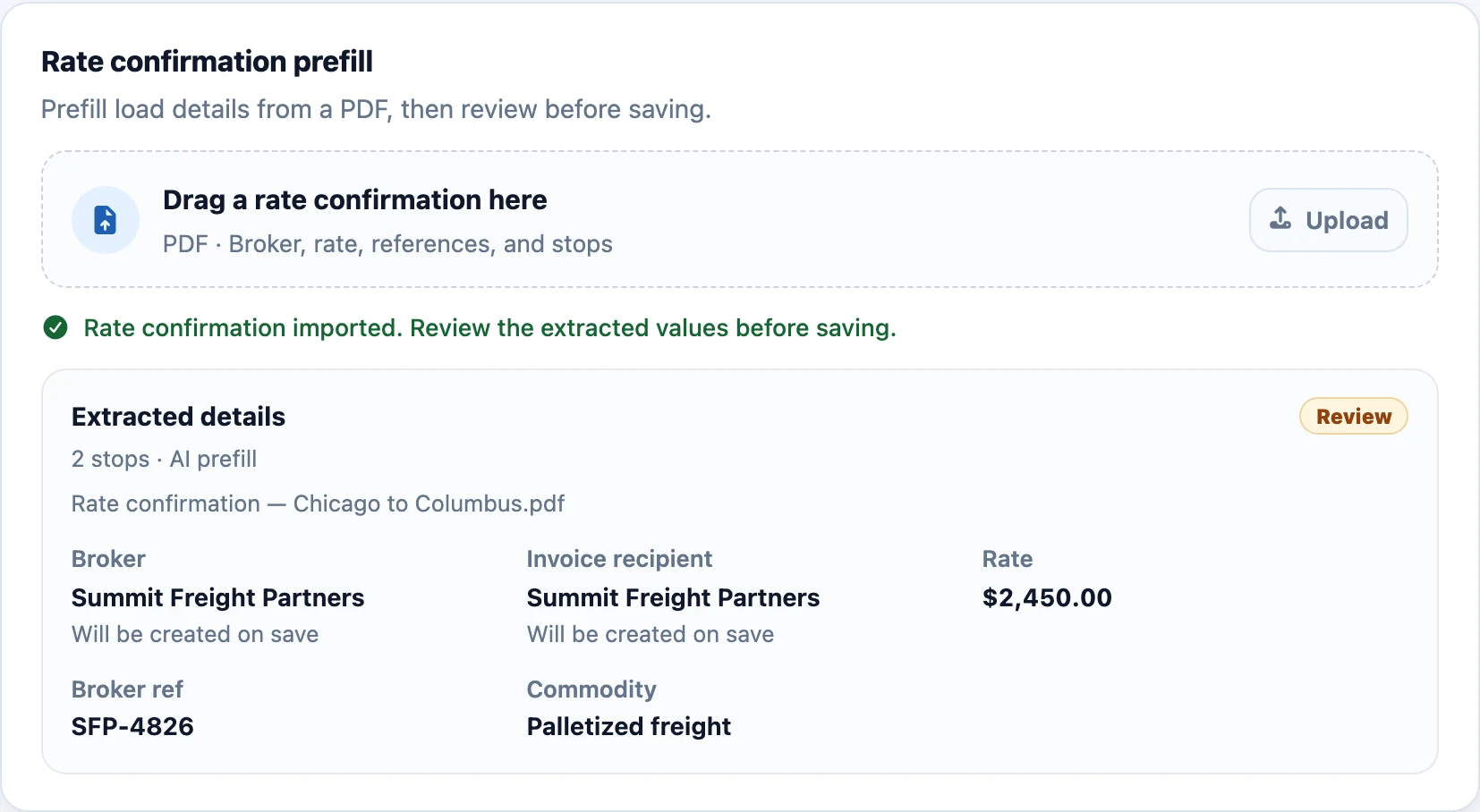
Upload the broker’s rate confirmation PDF. Plantain uses AI to extract load details into a form your dispatcher can review before saving.
- Bring the details across. Prefill the broker, rate, references, stops, and driver instructions from the document.
- Keep your team in control. Check the extracted values, resolve anything that needs attention, and save the load.
- Work your way. Enter a load manually when there’s no rate confirmation to import.
Less setup work. Dispatch starts with a reviewable load instead of an empty form.
See the week.
Make the next assignment.
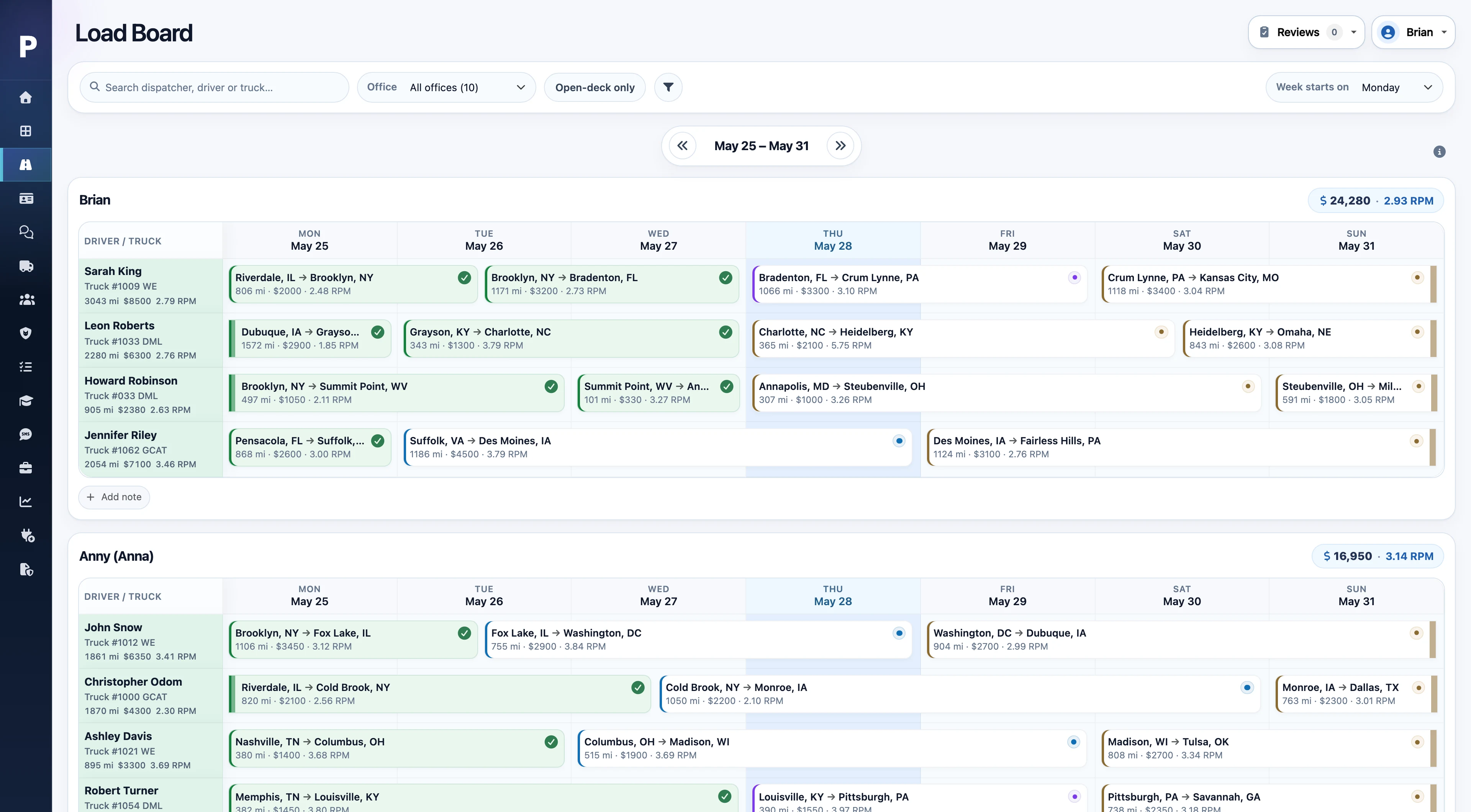
Use the load board to see drivers and loads together across the schedule. Check availability and equipment on the truck board, then open a load for its stops, appointments, and instructions.
A shared dispatch view
Keep the team working from the same schedule, with filters for the drivers and loads they need.
The right people and equipment
Review driver availability and truck and trailer assignments alongside the work ahead.
The details behind each load
Keep multi-stop routes, appointment times, references, and instructions close to the assignment.
Give the driver the details.
Get updates back.
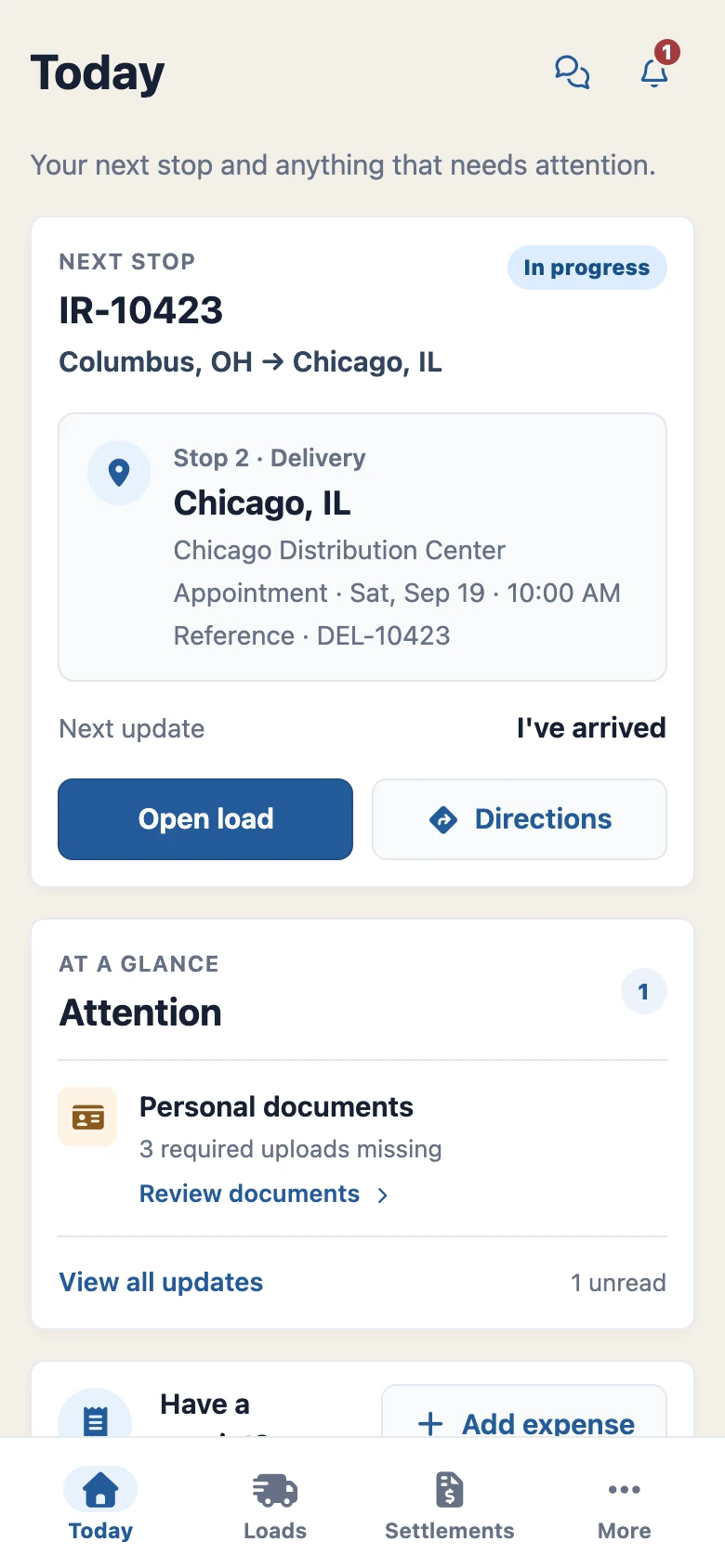
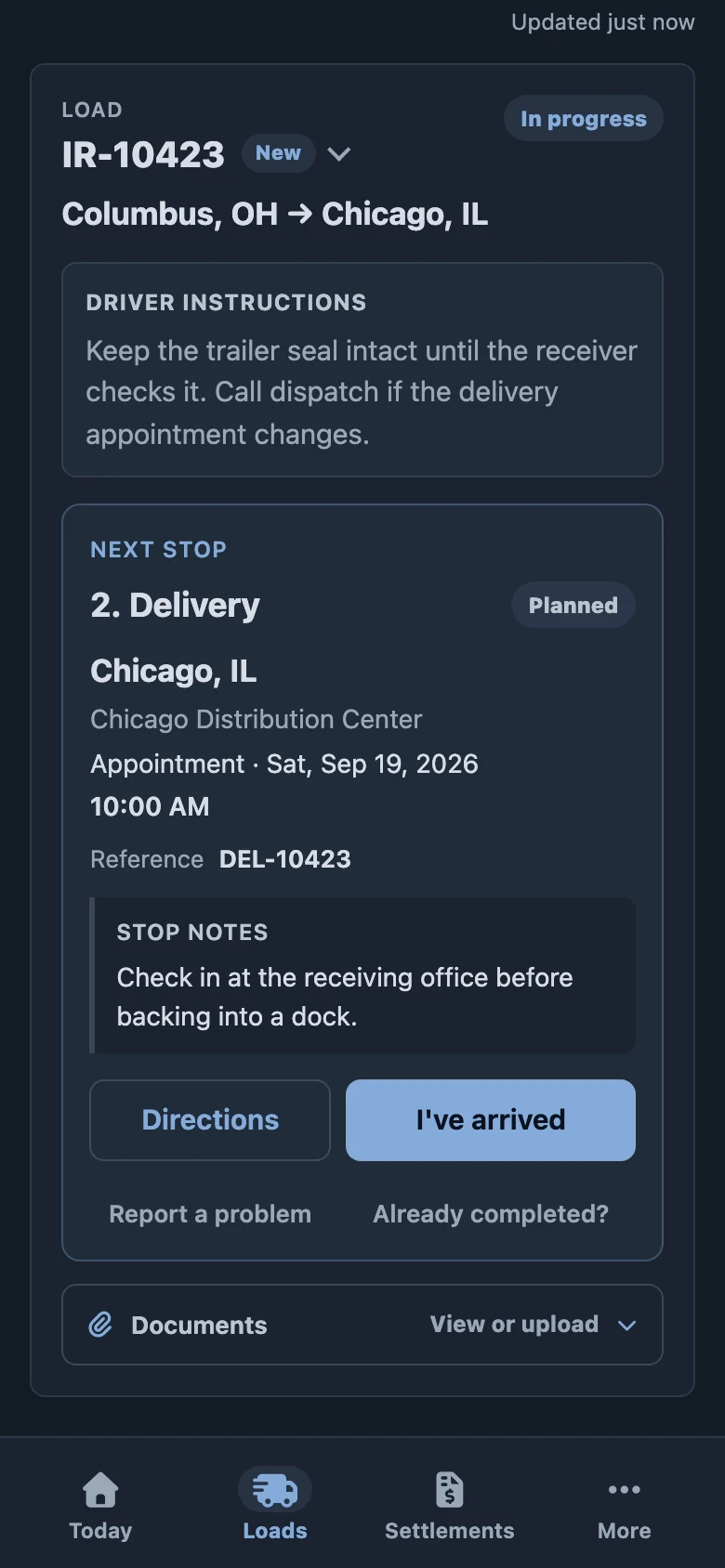
The driver app puts the assigned load, next stop, and instructions on the driver’s phone. The office follows the same load as the trip progresses.
- Know the next step. Drivers can check appointments and references, read instructions, and open directions.
- Share what is happening. Record arrival and completion, report a problem, or message dispatch.
- Send the paperwork. Upload PODs and other load documents, with expense submissions available in the app.
Less information to relay. Load details and driver updates stay connected to the work.
Delivered. Documented.
Ready for the next team.
Delivery doesn’t end with a status change. Keep the proof of delivery, supporting files, and accessorial charges on the load so billing and driver pay can use the same record.
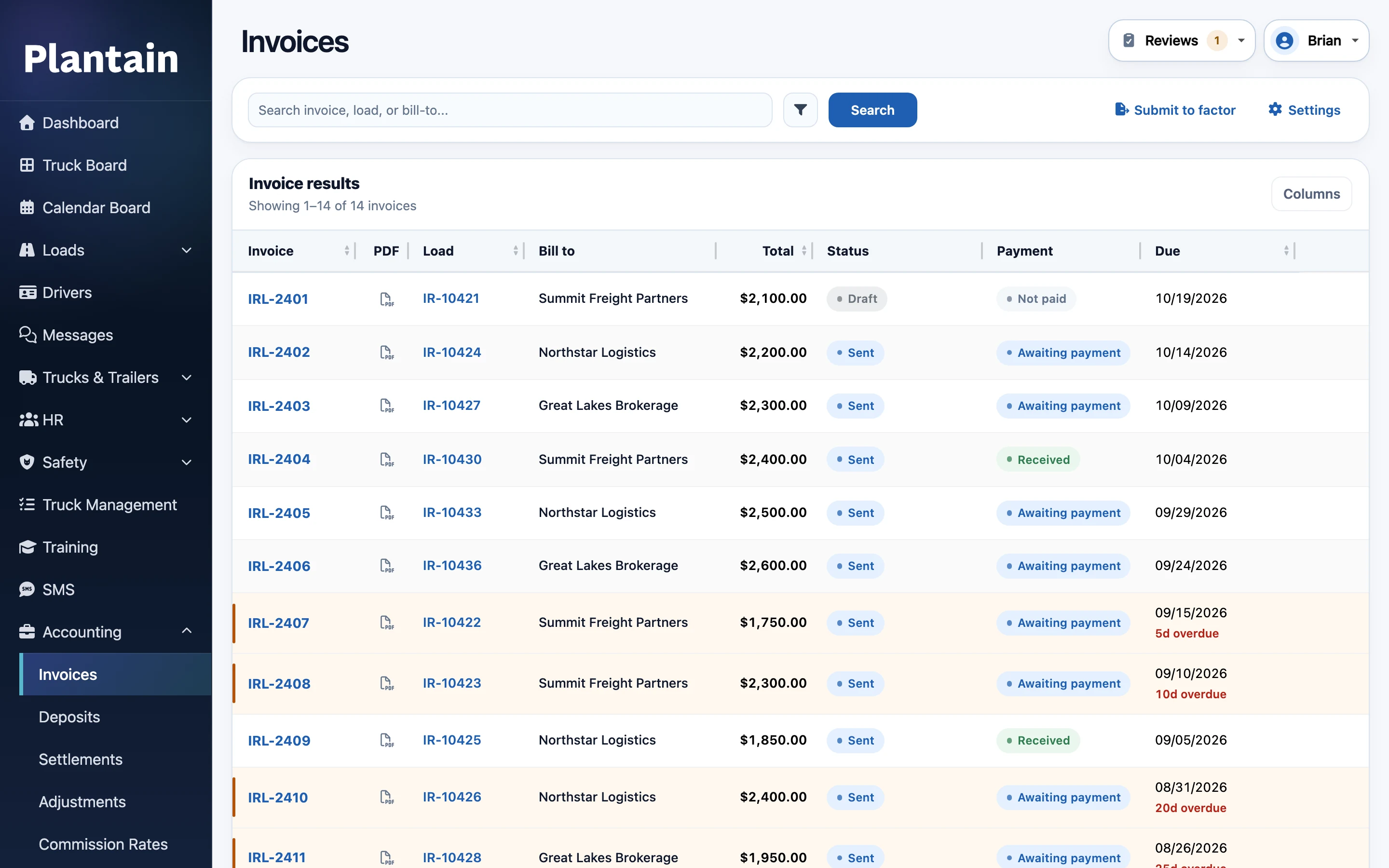
- Check the paperwork. Review uploaded documents and see what is still needed for invoicing.
- Carry the charges forward. Keep detention, extra stops, and other accessorials connected to the load.
- Continue into billing and pay. Prepare invoice packets and driver settlements from the recorded load details.
Can dispatching companies use Plantain?
Yes. Dispatching companies can work across connected carrier workspaces, with access set for each employee and carrier. Each carrier’s loads and operational records stay separate. See how the provider workspace works.
Do we review AI-created load details?
Yes. Rate confirmation processing prefills the load form. Your dispatcher reviews the extracted values, makes any corrections, and saves the load. Loads can also be entered manually.
Do we have to use every part of Plantain?
Start with the workflows your team needs. Dispatch connects to the driver app, fleet records, invoicing, and settlements, so other teams can use the same information as you bring more of the operation into Plantain. We’ll walk through your current setup and any handoffs during the demo.
Walk through a load with us.
See rate confirmation processing, the dispatch board, and driver updates in one demo built around your operation.
From $200 / month · Unlimited internal users