Driver app
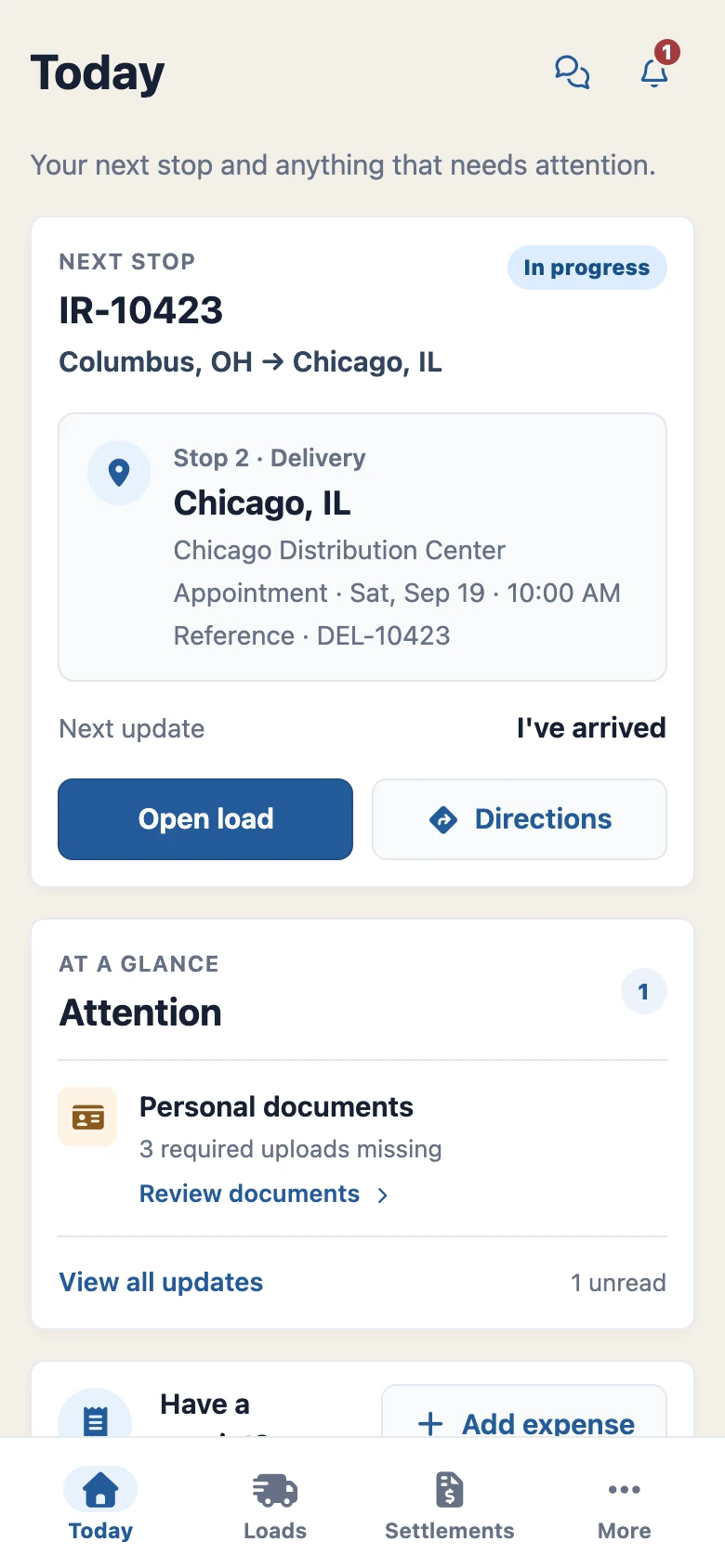
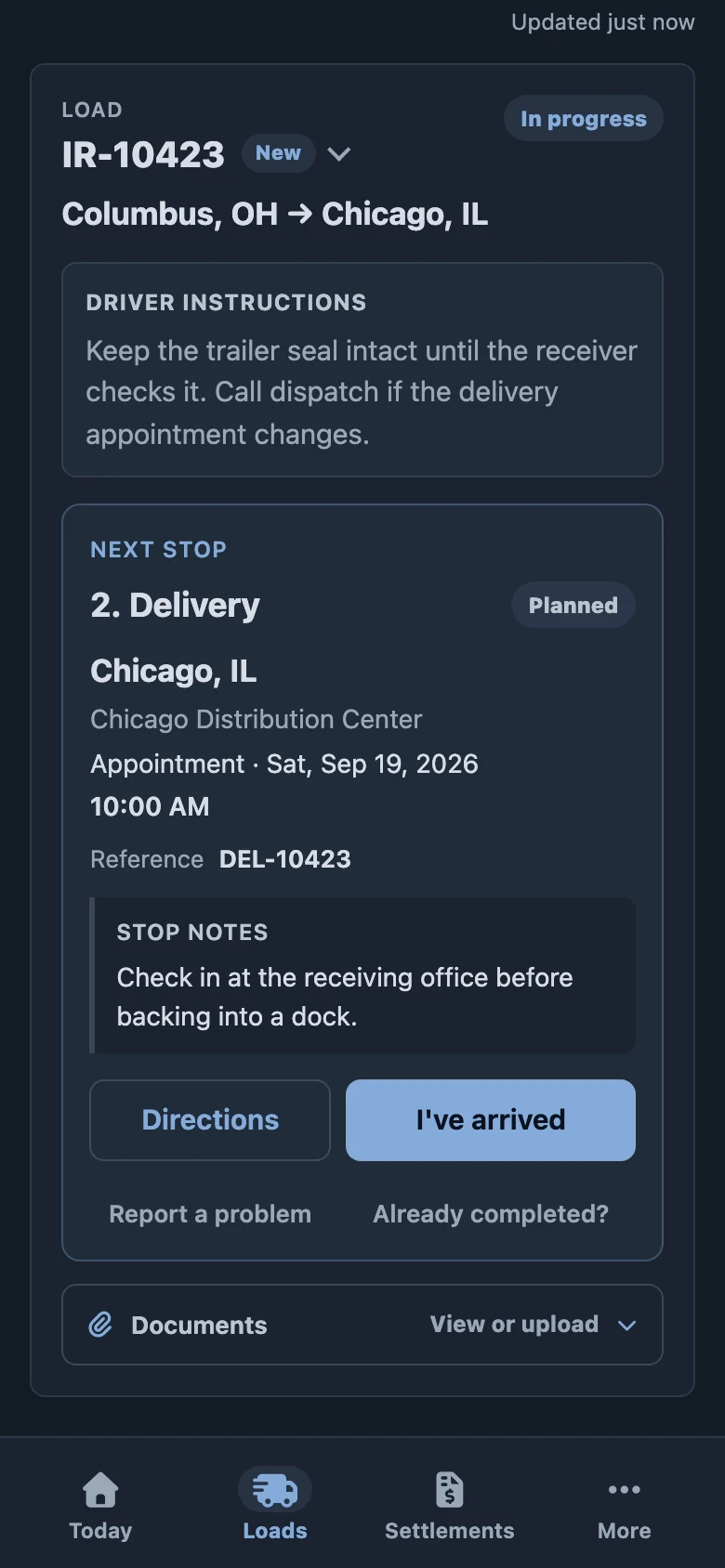
Drivers can see their next stop, open directions, and share updates from the same load the office is managing.
Example data · Select a screenshot to enlarge
Trucking software for the work between departments: dispatch, drivers, billing, hiring, safety, and management, working from shared records.
Built for U.S. trucking carriers and trucking service providers.
Drivers can see their next stop, open directions, and share updates from the same load the office is managing.
Example data · Select a screenshot to enlarge
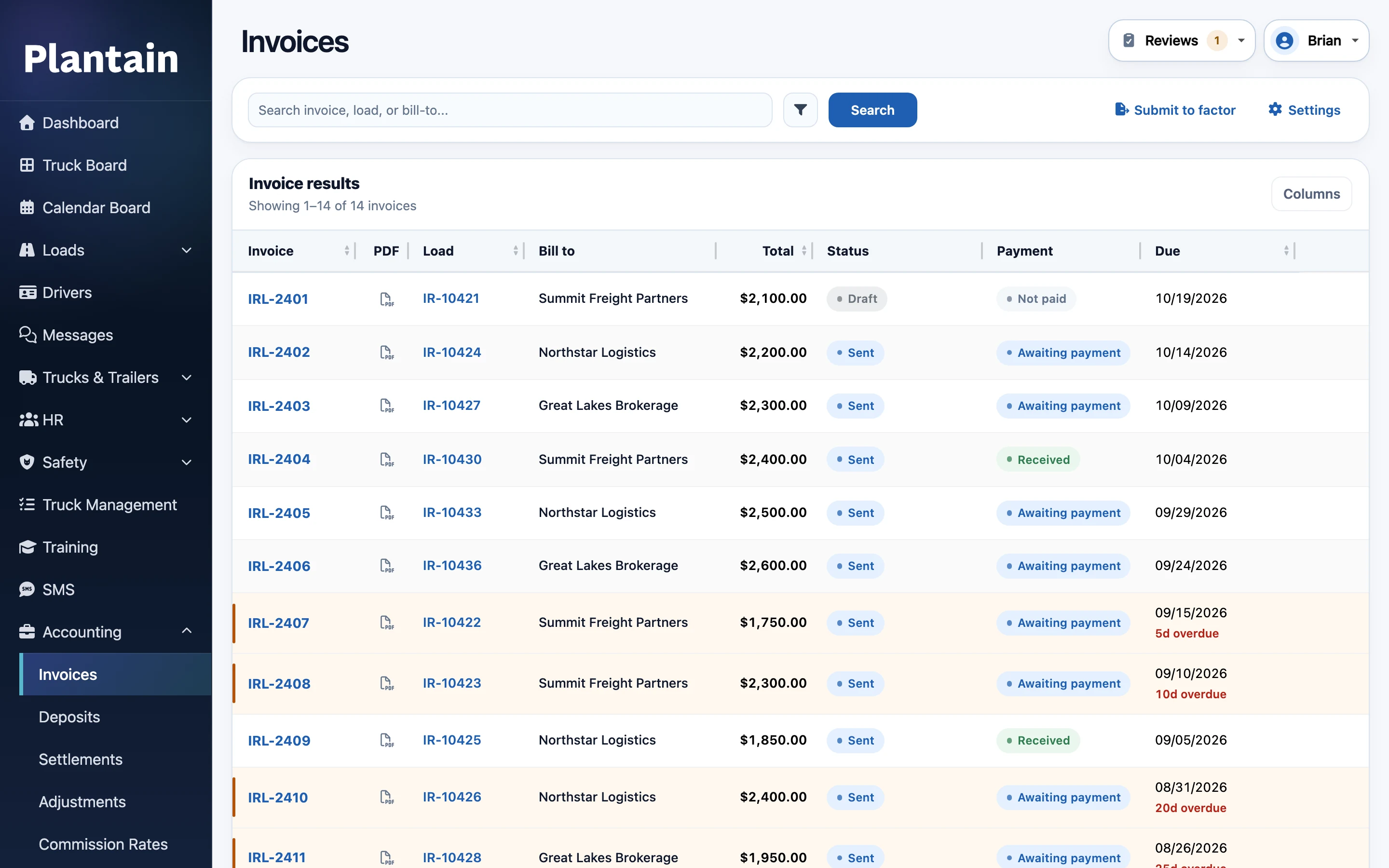
Keep invoices connected to the load and its paperwork, with clear invoice and payment status for the billing team.
Example data · Select a screenshot to enlarge
Choose the appearance that suits your workspace and preferences.
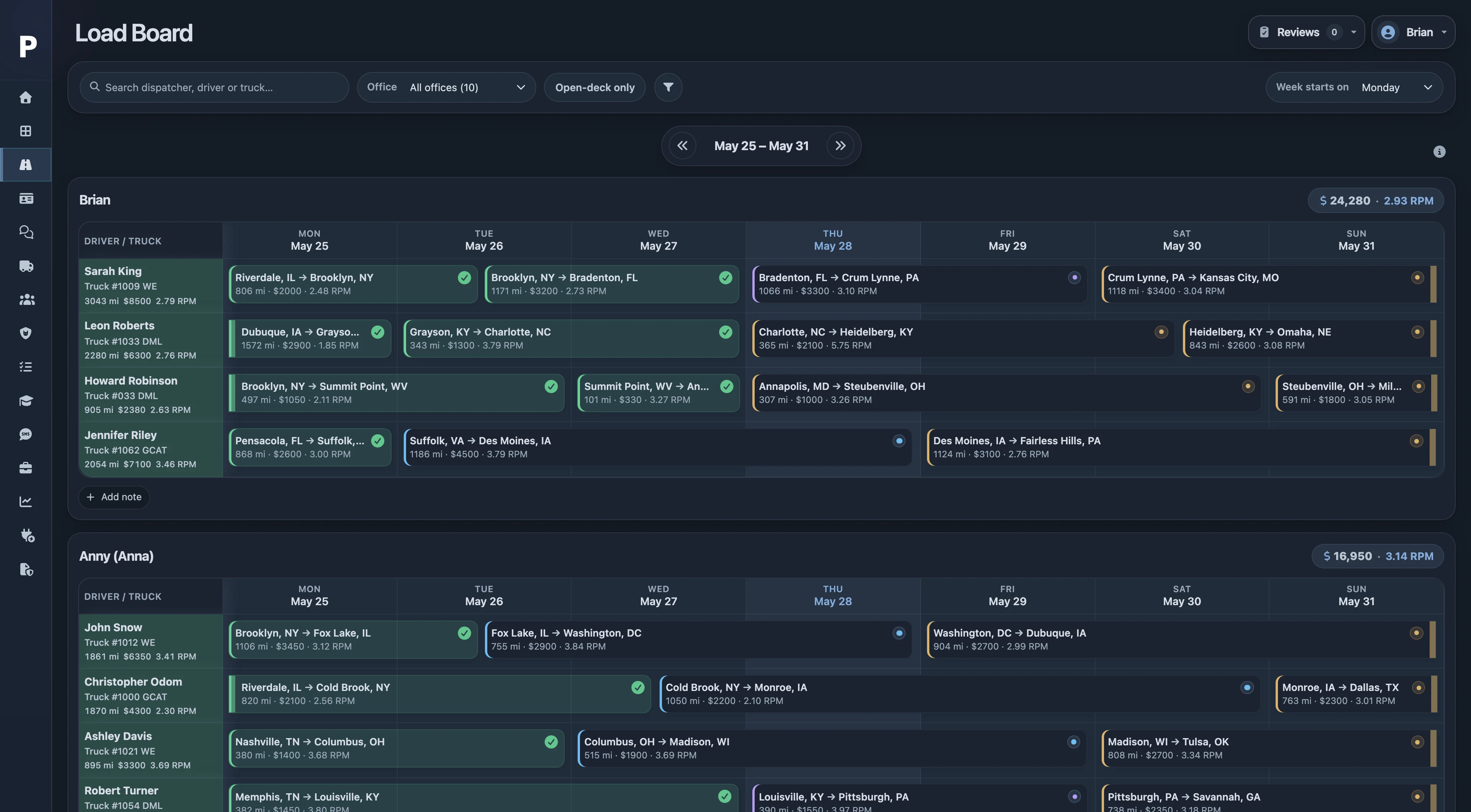
Drag the divider to compare.
Start with the area your team needs most. The records stay connected as you bring more of the operation into Plantain.
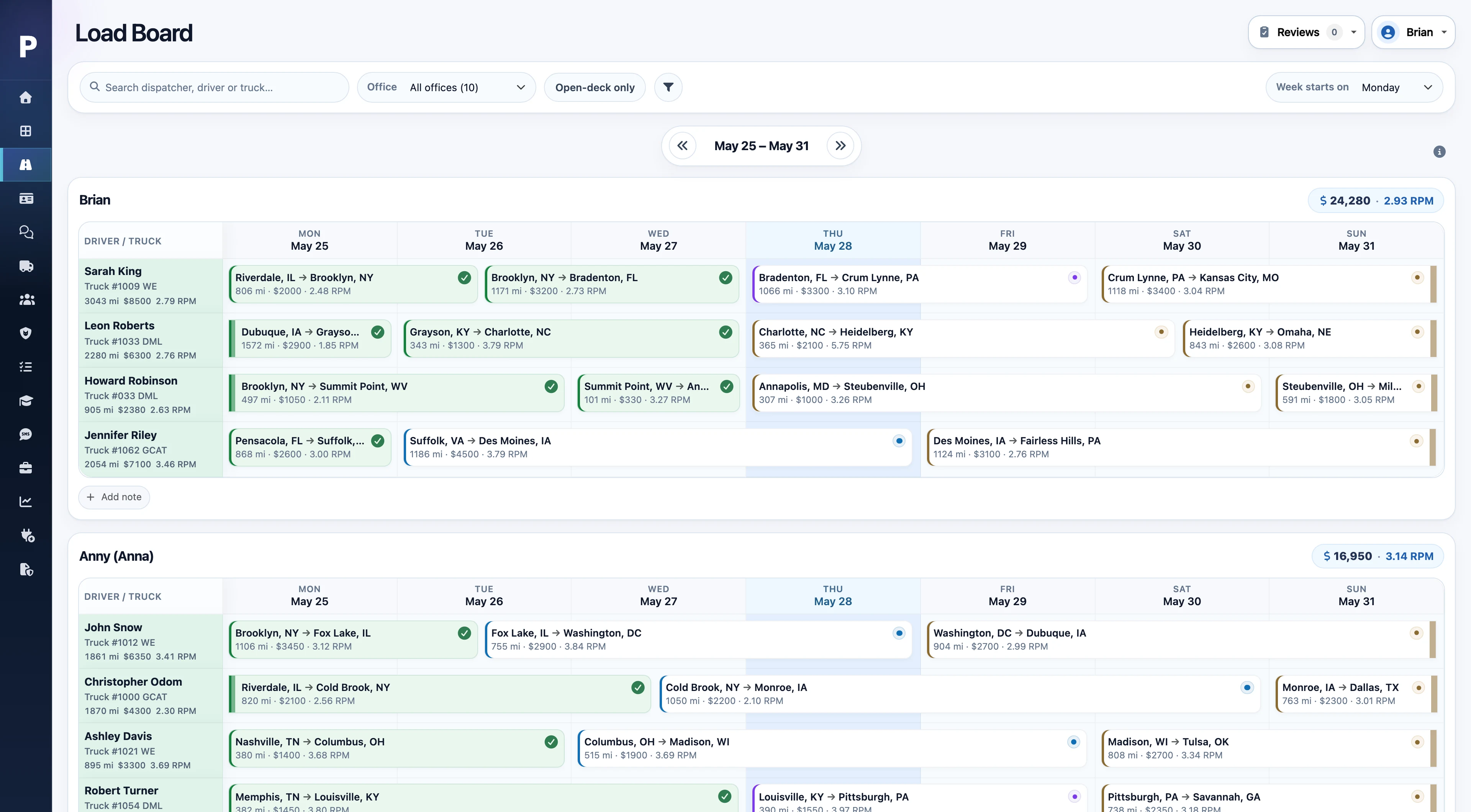
Give dispatchers a shared view of the week and the details needed to move each load.
The same load record carries through to billing and driver settlements.
See the dispatch workflowDrivers can open assigned loads, share updates, and send paperwork from their phone.
Installable on a phone, with saved work, queued changes, and retries for supported actions when a connection drops.
Bring together the invoice and its supporting paperwork so the billing team can see what is ready and what is missing.
Operations and billing work from the same stops, charges, and uploaded files.
Prepare driver statements with the context needed to review the amount and explain each line.
Drivers can review their statements in the app; office staff can trace the supporting details.
Keep the application, follow-up, and onboarding process in one place as a candidate becomes a driver.
Recruiting and safety teams can follow the same candidate without maintaining separate checklists.
Follow up on missing documents, inspection findings, and incidents with the relevant history at hand.
Driver and equipment records connect the history behind each safety event.
Keep the people and equipment behind each assignment organized as the fleet changes.
Dispatch can use the same records that safety and fleet staff maintain.
Use the work already recorded in Plantain to understand performance and follow up on exceptions.
Filter reports to the period and company you need, with exports for further review.
Keep each team’s work clear while sharing the records behind it. Support in-house staff and the companies helping with dispatch, safety, accounting, and driver recruiting.
See daily operations, driver and equipment availability, financial results, and items that need follow-up.
Plan assignments, send load details to drivers, collect updates, and prepare the handoff to billing.
Follow applicants through onboarding and keep documents, reviews, inspections, and incidents organized.
Prepare invoices and settlements, manage adjustments and balances, and support the carriers you work with.
Manage your companies or work across connected carrier workspaces from a provider account. Employee assignments and permitted work roles control which carrier records each person can use.
Start with a walkthrough of your workflows, then agree on the data, configuration, and support needed to get your team working.
Identify the teams, companies, and day-to-day tasks you want to bring into Plantain.
Organize drivers, equipment, and other data for import. Scope any historical backfill or cleanup.
Review staff access, company settings, pay rules, and the configuration your workflows need.
Help the team get comfortable with the tasks they will handle and the records they will share.
Pricing depends on active fleet size and rollout scope. Standard onboarding is included; additional migration work is scoped separately.
Manage invoicing, driver settlements, deductions, and payment tracking in Plantain. Use your accounting or payroll software for company bookkeeping and payroll taxes.
A Motive connection supports vehicle and location data. Imports and exports help move records between workflows, including fuel purchase imports and IFTA workbooks.
Tell us which systems your team uses during the demo so we can confirm what is supported and where a manual handoff is needed. More about scope & integrations →
See how the loads, people, paperwork, and numbers come together for your team.
Tell us a little about your team. We’ll email you to arrange a walkthrough.
We’ll email to arrange a walkthrough for your team.
Product preview · click outside the image to close