For trucking service providers

Run the work behind your customers’ fleets.

Support carriers with dispatch, safety, accounting, recruiting, and claims from a shared provider workspace — with access set for each employee and carrier.

Carrier access

For the companies and consultants supporting U.S. trucking carriers.

Dispatching companies

Keep each carrier’s loads moving.

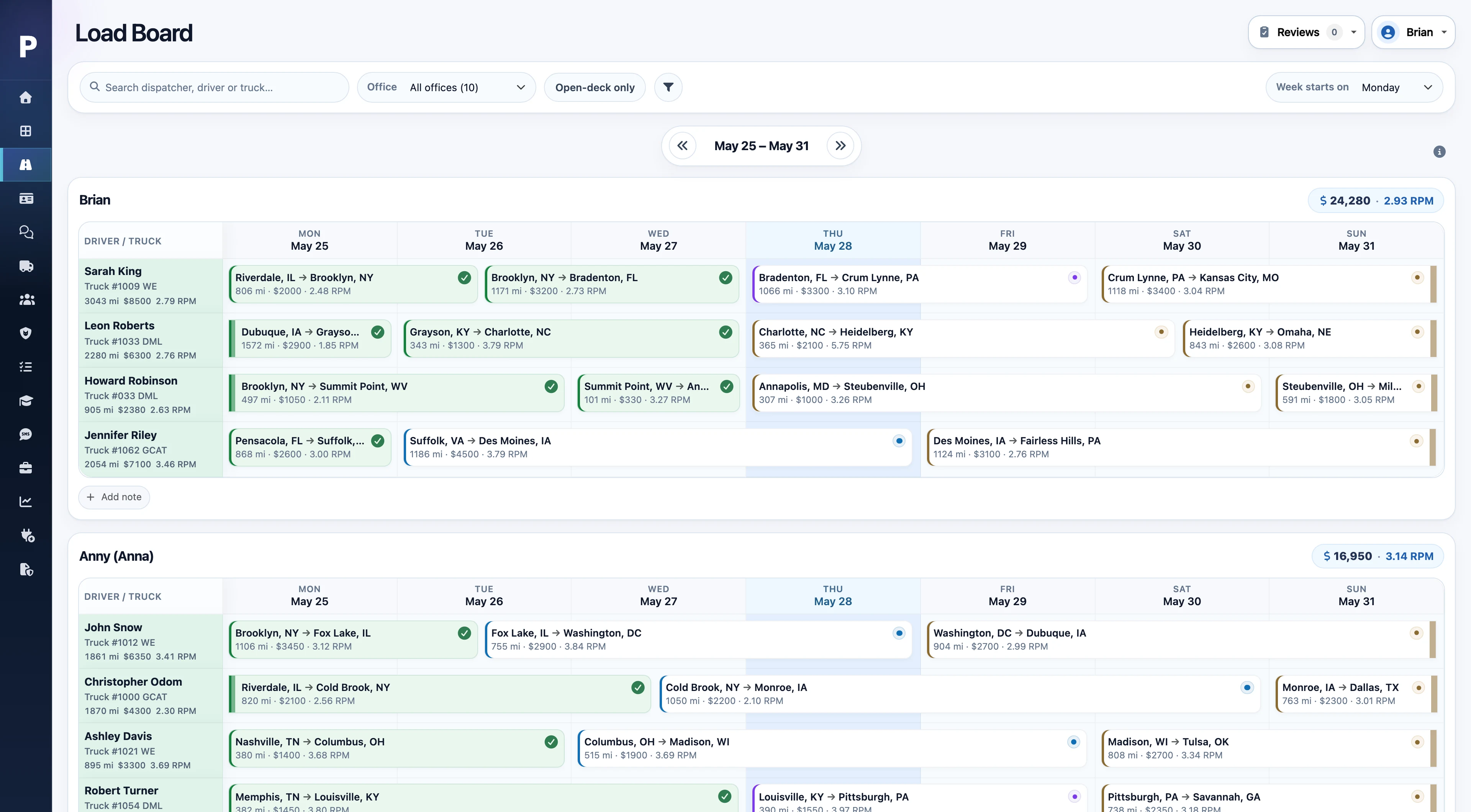
Give dispatchers the load details, driver availability, and equipment records they need to plan the week and follow up during the day.

  1. Import a rate confirmation, review the extracted details, and prepare the load.
  2. Assign the driver and equipment, with stops, appointments, and instructions together.
  3. Follow driver updates and documents, then hand the load to billing with its supporting details.
Explore dispatch & load management →
Plantain load board with driver assignments and loads organized by day
Dispatch in Plantain · Example data · Select the screenshot to enlarge
Safety consultants & teams

See the history behind the next review.

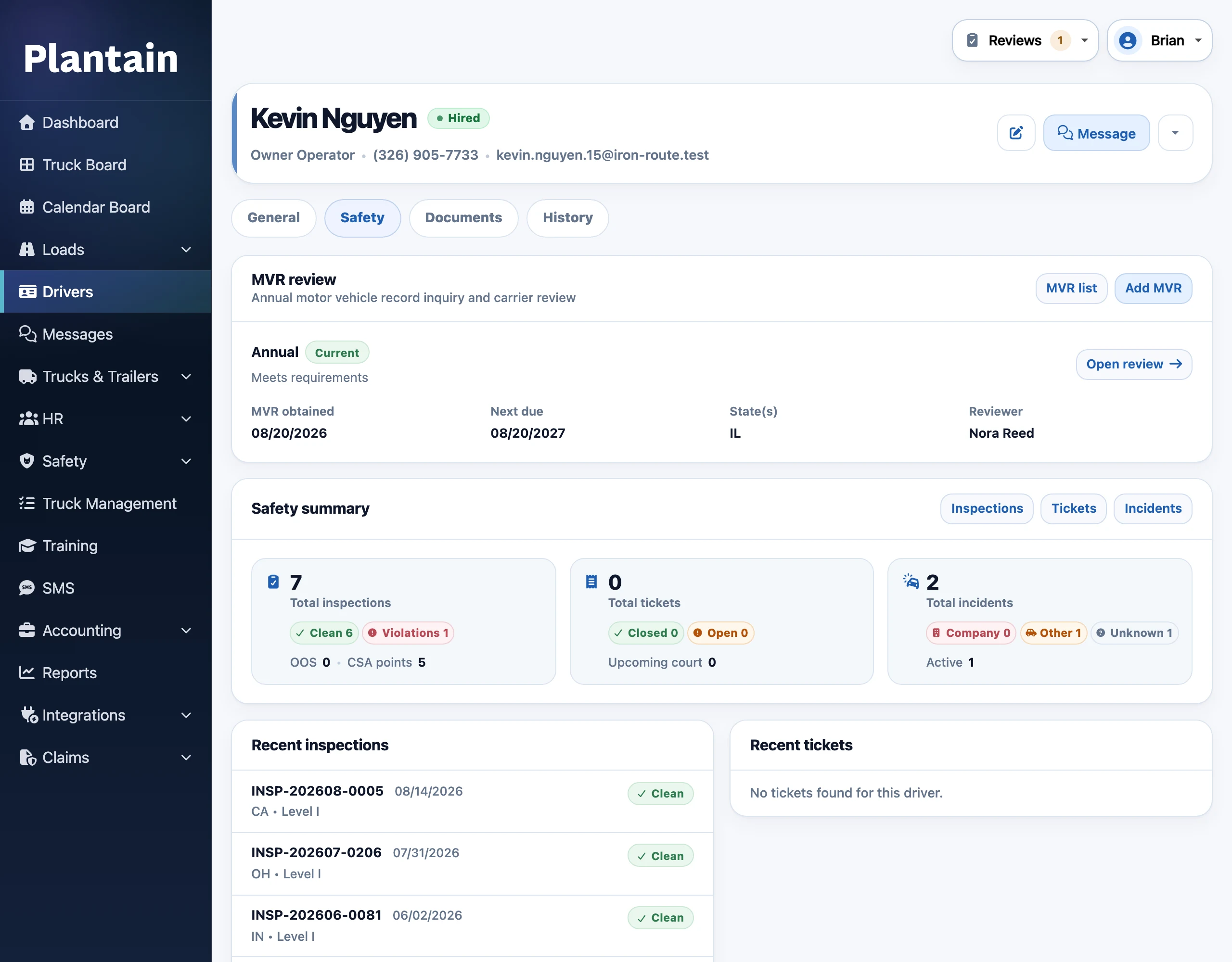
Keep driver documents, inspection records, and safety activity accessible as your team supports a carrier’s compliance work.

  1. Review driver documents and MVR records, with expiration dates and reminders available for follow-up.
  2. Review driver-submitted PTIs and photos using the carrier’s inspection template.
  3. Track inspections, tickets, incidents, and claims with the relevant records attached.
Explore safety & compliance workflows →
Plantain driver safety tab showing safety records and compliance information
Safety in Plantain · Example data · Select the screenshot to enlarge
Accounting & settlement teams

Bring the paperwork and the numbers together.

Handle carrier billing and driver-payment administration with the loads, charges, and supporting documents close at hand.

  1. Check invoice readiness and prepare invoice packets or factoring submission batches.
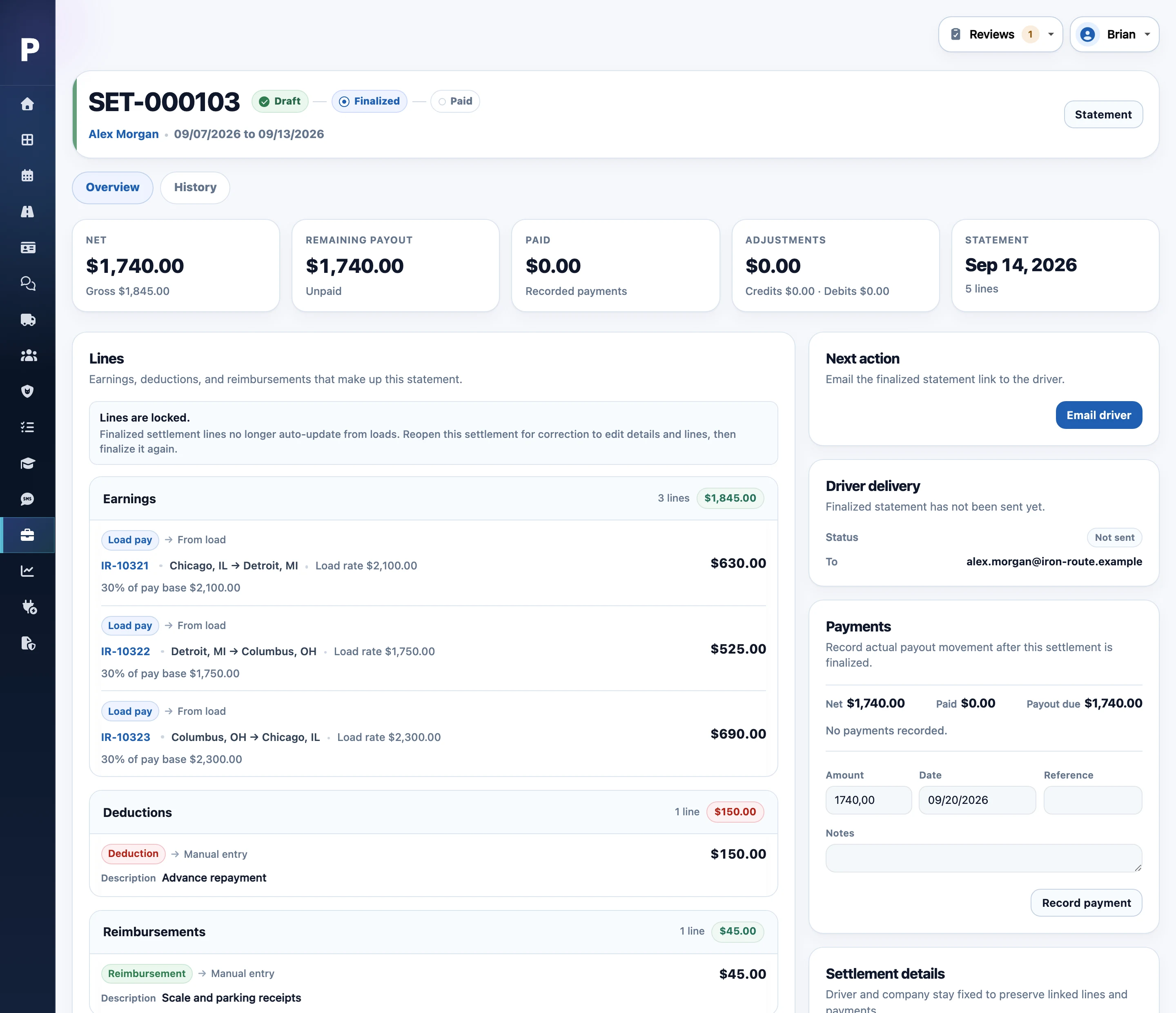
  2. Prepare driver settlements with earnings, deductions, reimbursements, deposits, and adjustments.
  3. Track balances and payment status, send statements, and respond to driver questions.
Explore driver settlements & balances →
Plantain driver settlement with earnings, deductions, and payment details
Settlements in Plantain · Example data · Select the screenshot to enlarge
Driver recruiting & onboarding

Keep the next hiring step clear.

Recruiters supporting a carrier can manage applications and onboarding in the same system its operations and safety teams use.

  1. Collect applications, documents, signatures, and acknowledgments online.
  2. Assign recruiters and follow applicants through hiring stages with notes and labels.
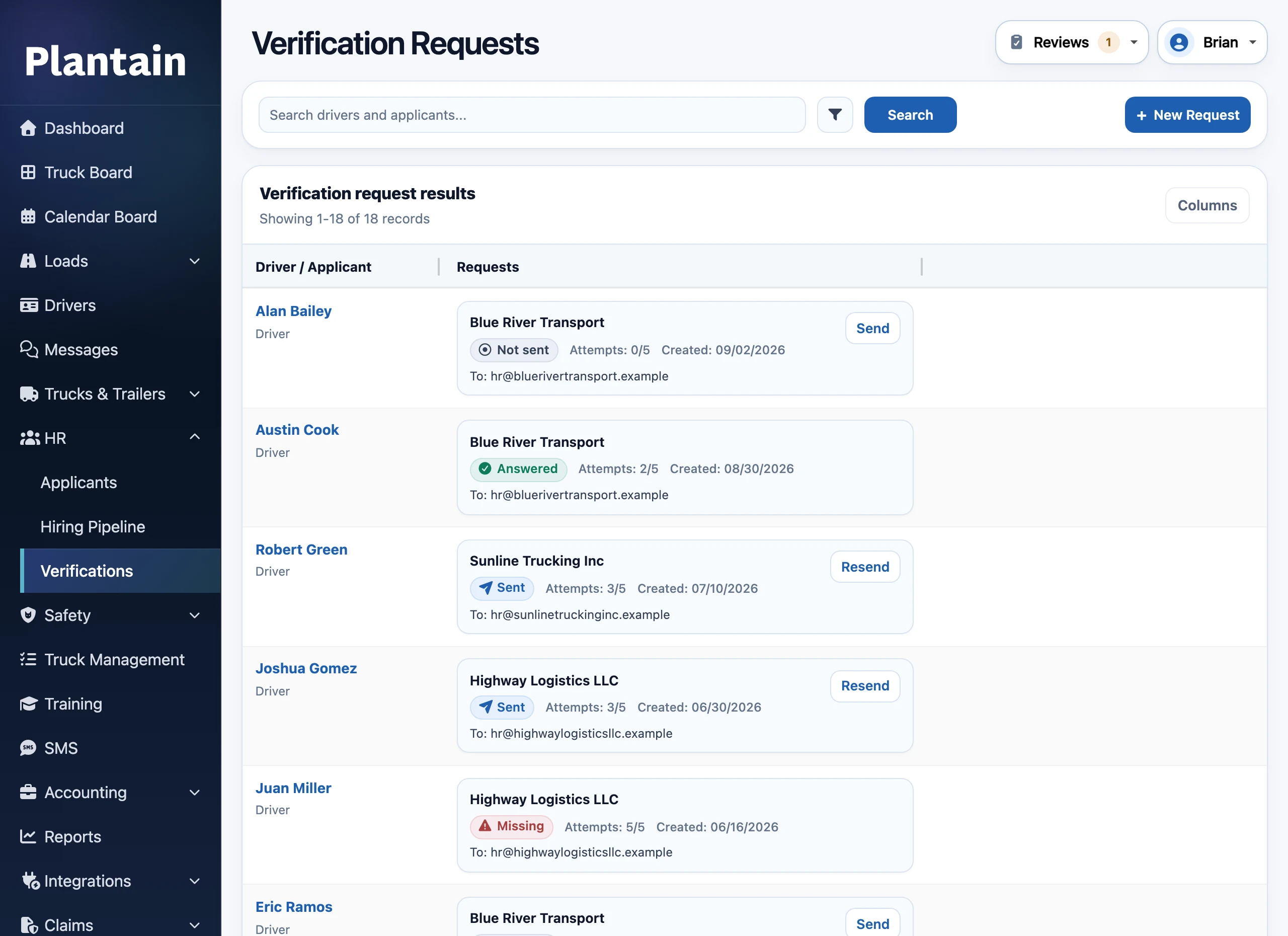
  3. Track previous-employer verifications and continue into onboarding and driver records.
Explore recruiting & onboarding →
Plantain employment verification requests list with driver names, previous employers, and response status
Hiring in Plantain · Example data · Select the screenshot to enlarge
Your provider workspace

One place to manage the carriers you support.

Work across connected carrier workspaces, manage employee access, and follow your team’s work from a shared provider view.

  1. Add or connect carriers

    Create managed carrier workspaces, or have the Plantain team connect your provider organization to carriers already using Plantain.

  2. Assign your team

    Assign employees to each carrier. Each employee can use only the permitted work roles they hold.

  3. Follow work across carriers

    Use shared views to review work across your connected carriers, then open a carrier’s workspace for the details.

Separate records. A shared view.

Each carrier keeps its own operational records. Your provider workspace brings together the work your team is permitted to see, so you can move between carriers without duplicating their data.

Which accounting and driver-pay tasks are supported?

Plantain supports invoicing, factoring preparation, driver earnings, deductions, reimbursements, deposits, statements, balances, and payment tracking. Company bookkeeping and payroll tax calculations and filings stay in your accounting or payroll software. Bank payments are made through your payment provider; Plantain records their status.

Can driver recruiting companies use Plantain?

Yes. Recruiters can work with their assigned carriers from the provider workspace, managing applications, hiring stages, documents, signatures, employer verifications, and onboarding. Applicants belong to a carrier company, so their records stay connected as they move into driver setup.

Can we connect carriers already using Plantain?

Yes. The Plantain team sets up the connection and permitted work roles for your provider organization. Your administrators can then assign eligible employees to work with that carrier.

Can a carrier keep its existing TMS?

Yes. Managed carrier workspaces can use Internal tracking for dispatch records while paperwork and invoicing stay in the carrier’s other TMS. Full TMS handles the load paperwork and invoicing in Plantain. Safety and recruiting workflows are available in either mode.

Does our team need to use every part of the platform?

Start with the workflows your team provides. Staff roles and permissions control access to the relevant work. During the demo, we’ll walk through how those tasks connect to the carrier’s drivers, equipment, loads, and records.

How do pricing and onboarding work?

Subscriptions start at $200 per month with unlimited internal users. Pricing depends on active fleet size and rollout requirements. We’ll confirm the companies, workflows, import needs, and pricing for your organization before kickoff. See pricing and onboarding details.

Show us how your team supports carriers.

We’ll walk through the workflows and company setup that fit the services you provide.

Explore the platform